Instagram photo Downloader
Download Instagram Video
Enter the Instagram video link below to download the video in high quality.
Download Instagram Reel
Enter the Instagram reel link below to download Reel in high quality.
Download Instagram Stories
Enter the Instagram Username or Story link to view and download Stories anonymously.
Download Instagram Photo
Paste the Instagram photo link to download in original quality.
Download Instagram Profile Picture
Enter the Instagram Profile URL to download the full-size profile photo.
Download Instagram Highlights
Enter the Instagram Username or Profile URL to browse and download Highlights.
How to Download Instagram Photos
Saving your favorite pictures from Instagram is super easy! Here is a simple guide to show you how to do it in 4 quick steps:
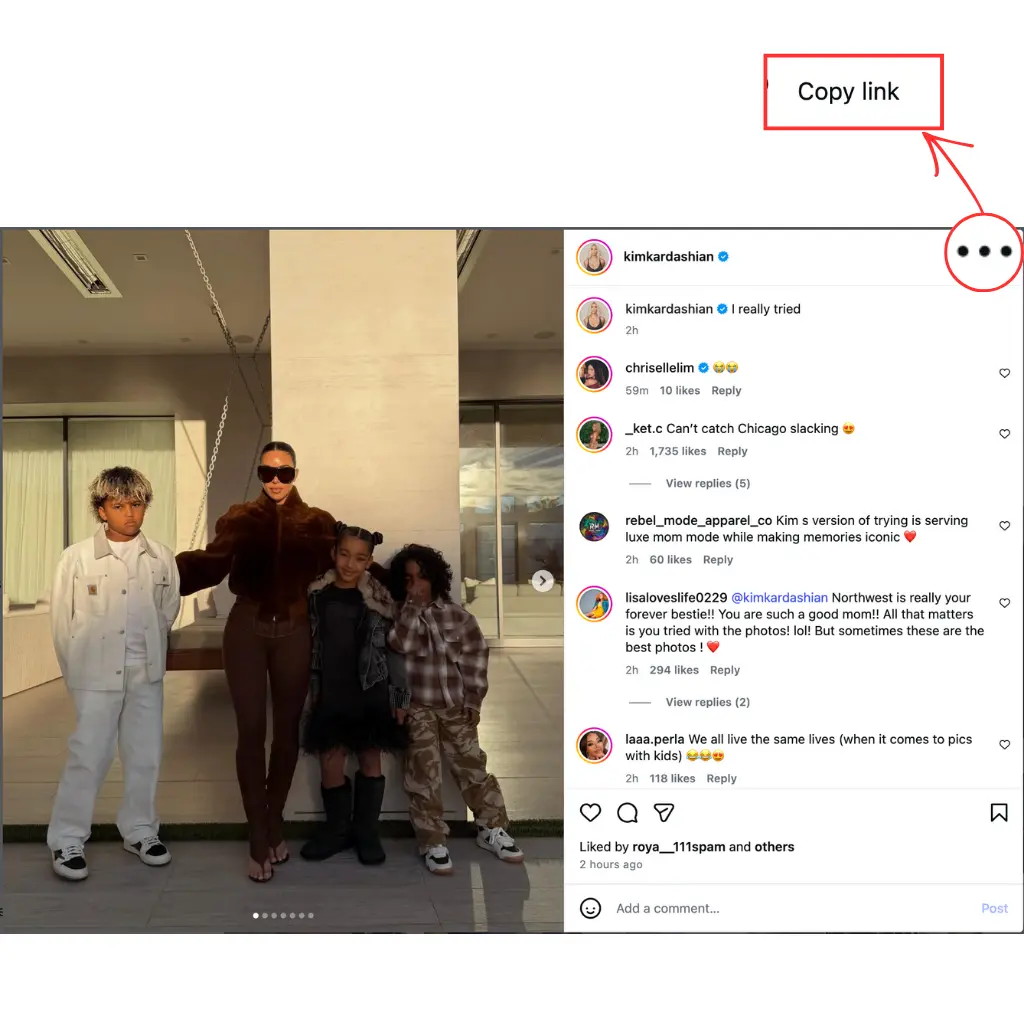
Step 1: Get the Link to the Photo
First, go to Instagram and find the post with the pictures you want to save.
-
Click on the three dots (…) at the top right of the post.
-
Tap on “Copy link”. Now you have the link ready!
Step 2: Pick the “Photo” Option
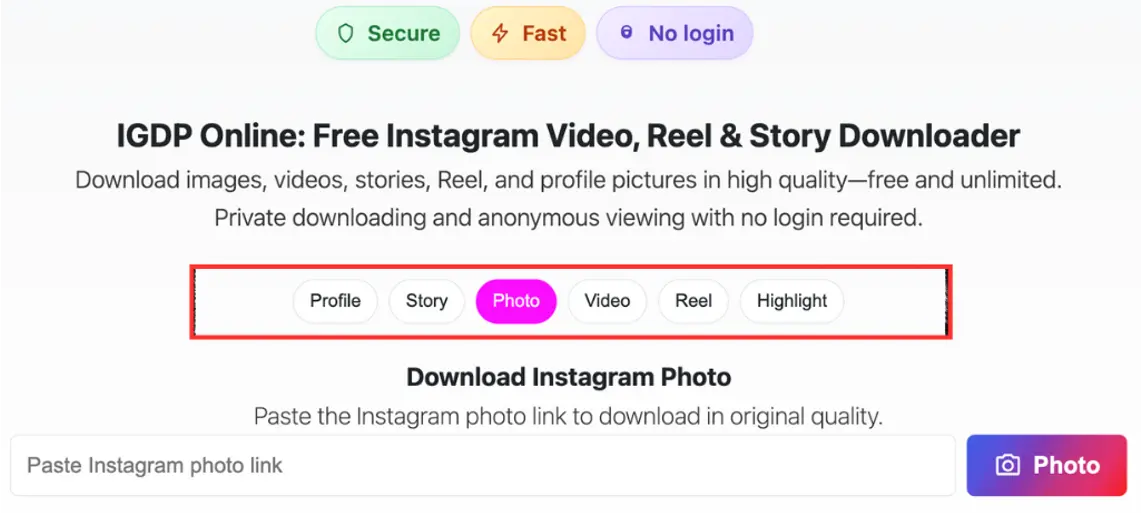
Go to the igdp.online website on your phone or computer.
-
Look at the row of buttons and click the pink one that says “Photo”. This tells the website you are looking for pictures!
Step 3: Paste and Search
-
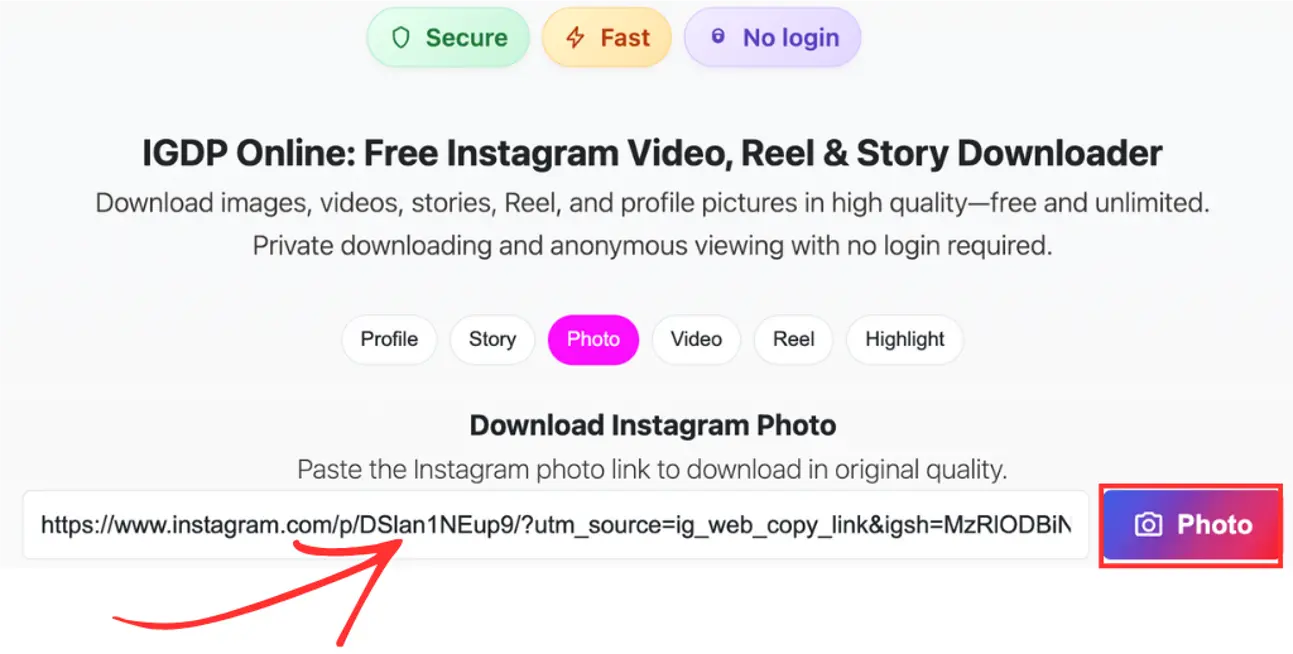
Paste the link you copied from Instagram into the long white box.
-
Click the purple button on the right that says “Photo”.
Step 4: Download Your Pictures
The website will show you all the photos from that Instagram post.
-
Just click the “Download” button under any picture you want to keep.
-
The photo will save right to your device!
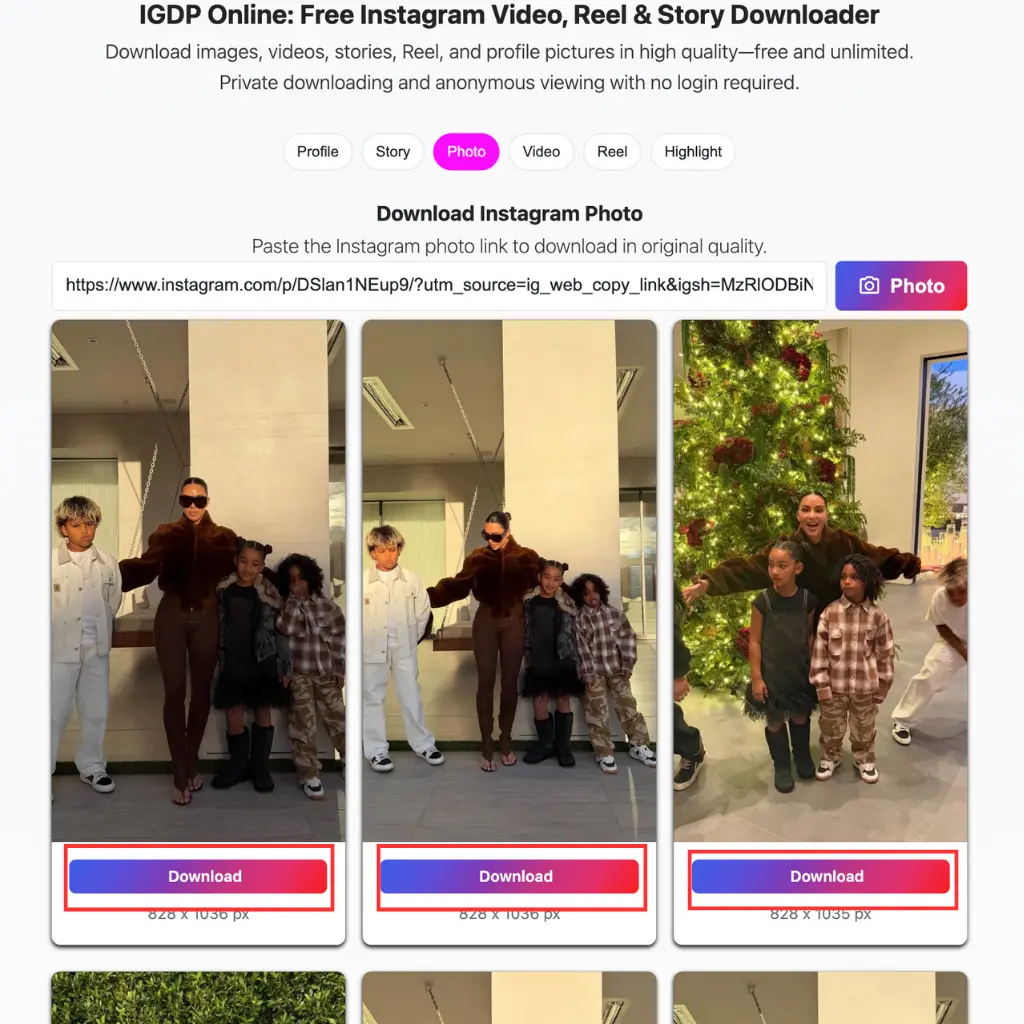
That’s it! You’re all done! 🌟